Unreal Engine Development Process: From Prototype to a Playable Game Experience
A detailed look at the Unreal Engine development workflow, from defining the core player experience and building prototypes to creating reusable systems, implementing narrative design, optimizing performance, and preparing a playable game build.
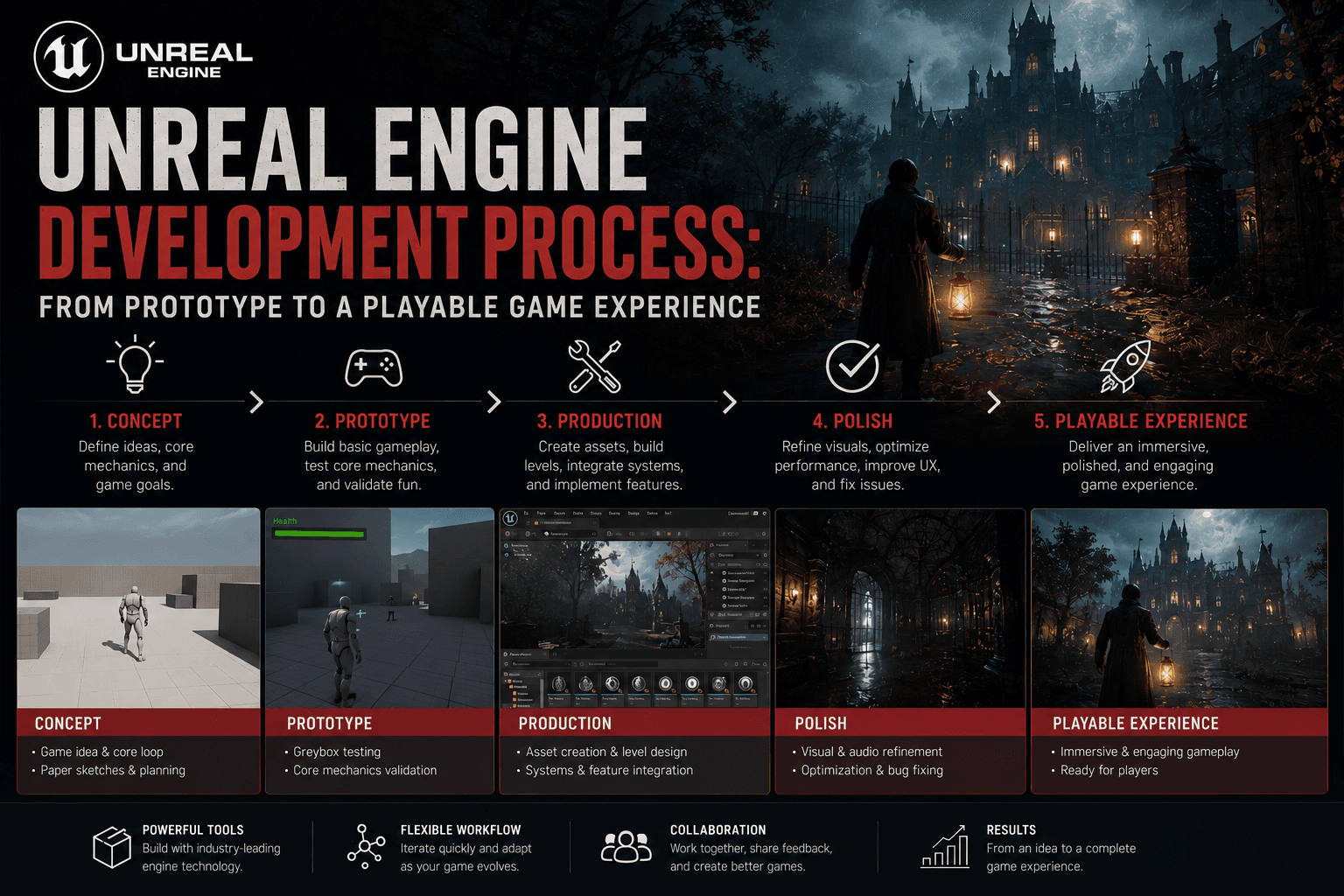
Unreal Engine Development Process: From Prototype to a Playable Game Experience
By Huseyin Onur – Game Developer, 3D Animator, and Founder of Tyrosine Games
Unreal Engine is not only a tool for building visuals. For me, it is a full production environment where design, programming logic, animation, lighting, sound, optimization, and storytelling come together.
As an independent game developer, I use Unreal Engine to test ideas quickly, build atmosphere, solve technical problems, and turn early concepts into playable experiences. During projects such as the Untold Memories series, Unreal Engine has become one of the main tools behind both my creative and technical workflow.
In this article, I want to share how I approach the Unreal Engine development process — from the first prototype to a playable build.
1. Starting With the Core Experience
Before opening Unreal Engine, I try to define the core experience of the game. This is one of the most important steps, because a project can have many mechanics, assets, characters, and environments, but still lose direction if the intended player experience is unclear.
For a psychological horror game, the core experience may be:
- Feeling unsafe inside a familiar place
- Slowly discovering hidden information
- Being forced to follow strange rules
- Hearing something before seeing it
- Questioning whether a character can be trusted
This definition affects almost every technical decision later. If the goal is to create tension, then level design, lighting, movement speed, sound triggers, interaction systems, and mission structure should all support that feeling.
A strong development process starts with emotion, not only mechanics.
2. Building a Fast Prototype
After defining the core idea, I usually begin with a simple prototype. At this stage, I do not focus on final graphics, polished animations, or perfect level art. The purpose of the prototype is to answer practical questions early.
- Does the idea work in gameplay?
- Is the player objective clear?
- Can the environment create tension?
- Does the mechanic support the story?
- Is the pacing too slow or too fast?
In Unreal Engine, I often use Blueprint systems during the prototype stage because they allow fast testing and iteration. For independent development, speed matters. A developer needs to test ideas quickly before spending too much time on final assets.
A horror prototype may include a basic player controller, interaction with doors and objects, mission triggers, sound events, simple AI behavior, hiding systems, or locked areas that create curiosity.
A prototype should not be beautiful first. It should be useful first.
3. Creating Reusable Gameplay Systems
One of the most important parts of my Unreal Engine workflow is building reusable systems. Instead of creating every interaction separately, I prefer to create systems that can be expanded during production. This saves time and keeps the project cleaner.
For example, one interaction system can support doors, drawers, notes, keys, objects, dialogue triggers, hidden clues, and mission items. This approach is especially useful in horror games, where the player interacts with many small environmental details.
A reusable system also helps maintain consistency. The player should not feel that one object behaves differently from another without a clear reason. Interaction rules should feel natural across the whole game.
In Unreal Engine, this can be achieved through Blueprints, interfaces, actor components, data tables, and organized event logic. The exact method depends on the project, but the goal is always the same: build systems that are flexible, readable, and scalable.
Good systems reduce chaos during development.
4. Connecting Narrative With Gameplay
In my development process, story and gameplay are not separate parts of production. They constantly affect each other. This is especially true for the Untold Memories series, where atmosphere, mystery, and psychological tension are central to the experience.
A story idea should become playable inside Unreal Engine. If a character says, “Do not go near the basement,” this should not remain only as dialogue. The game should support that rule through level design, locked doors, sound, lighting, mission structure, and player curiosity.
The basement becomes more than a location. It becomes a narrative question.
Unreal Engine allows this kind of design because narrative elements can be connected directly to gameplay triggers. A sound can start when the player reaches a hallway. A door can remain locked until the story reaches a specific moment. A light can turn off after an event. Character behavior can change based on player progression.
This is where narrative design becomes technical implementation.
5. Level Blockout and Environmental Planning
After the prototype, I usually move into level blockout. Blockout is the stage where I build the basic shape of the environment without focusing on final visual quality. It helps me test scale, movement, player direction, visibility, and pacing.
For horror games, level design is not only about navigation. It is also about controlling tension.
- A hallway can create anticipation.
- A locked door can create curiosity.
- A small room can create pressure.
- A large empty space can create vulnerability.
- A staircase can create uncertainty.
Questions I ask during this phase:
- Where should the player look first?
- Can the player understand the objective?
- Is there enough visual guidance?
- Where should tension rise?
- Where should the player feel safe?
- Where should the environment hide information?
This stage is important because many problems are easier to solve before final art is added. If the level does not work in blockout, better textures or lighting will not fully fix it.
Strong atmosphere starts with strong spatial design.
6. Lighting and Atmosphere
Lighting is one of the most powerful tools in Unreal Engine, especially for horror games. I use lighting not only to make scenes look good, but also to guide emotion and attention.
Light can show the player where to go. Darkness can hide information. A flickering light can create instability. A small lamp in a dark room can make the environment feel isolated.
In psychological horror, lighting should not always be dramatic. Sometimes the most uncomfortable lighting is ordinary, but slightly wrong. A house can look normal, yet still feel unsafe if lighting, shadows, color temperature, and composition are carefully controlled.
My goal is usually to create atmosphere without overexplaining it. The player should feel that something is wrong before the game directly tells them.
For me, lighting is part of storytelling.
7. Sound as a Gameplay Tool
Sound design is another major part of Unreal Engine development. In horror games, sound is not only background atmosphere. It can become a gameplay signal, a narrative clue, or a psychological trigger.
A sound behind a door can make the player stop. A footstep above the player can create suspicion. A distant object falling can guide attention. Silence can be just as important as sound.
I often think of sound as an invisible level design tool. It can push the player forward, make them hesitate, or make them question what is happening.
In Unreal Engine, sound cues, trigger volumes, attenuation settings, ambient loops, and timed events can be used to control how the player experiences the environment.
A good horror sound should not only surprise the player. It should make them listen more carefully.
8. Testing, Debugging, and Iteration
A playable build is never perfect on the first attempt. Testing is where many design and technical problems become visible.
Common areas of focus include:
- Player movement and collision issues
- Interaction logic and mission triggers
- Save/load behavior
- AI reactions
- Lighting performance and frame rate
- Sound timing
- Packaging errors and build stability
This stage is not only technical. It is also creative. When testing a horror game, I pay attention to emotional pacing.
Fear needs silence. Suspense needs timing. Gameplay needs clarity.
9. Optimization and Build Preparation
Optimization is an important part of professional Unreal Engine development. A game should not only look good inside the editor. It should run properly in a packaged build.
Areas frequently reviewed include:
- Texture sizes and material complexity
- Lighting cost and shadow settings
- Mesh complexity and collision settings
- Unnecessary actors and Blueprint performance
- Level streaming needs
- Post-process effects
- Audio usage
- Packaging size
This part of development is not always exciting, but it is necessary. Players experience the final build, not the editor project.
A technically unstable game can damage even a strong creative idea.
10. Documentation and Project Organization
One lesson I have learned through Unreal Engine development is that organization becomes more important as the project grows.
A project can start simple, but over time it gains more Blueprints, levels, assets, animations, sounds, materials, UI elements, and test files.
Without organization, production becomes slower and mistakes become more common. I try to keep clear folder structures, naming conventions, documentation notes, and separated systems.
Documentation is not only useful for teams. It is also useful for solo developers. A well-organized project saves time, reduces confusion, and makes future updates easier.
Final Thoughts
Unreal Engine development is not only about using powerful tools. It is about making clear creative and technical decisions.
For me, the process starts with defining the player experience, then building a prototype, creating reusable systems, designing the level structure, connecting narrative with gameplay, controlling atmosphere through lighting and sound, testing constantly, optimizing the build, and keeping the project organized.
Through projects like the Untold Memories series, I continue to use Unreal Engine as both a creative and technical production environment.
A game becomes stronger when every system supports the same experience.
Story, gameplay, sound, lighting, level design, and technical structure should not feel separate. They should work together to create one complete player experience. That is the real development process behind a playable game.
Keywords: Unreal Engine, indie game development, Blueprint systems, psychological horror, level design, optimization, narrative implementation